Cleaned up game scanning
Game scanning
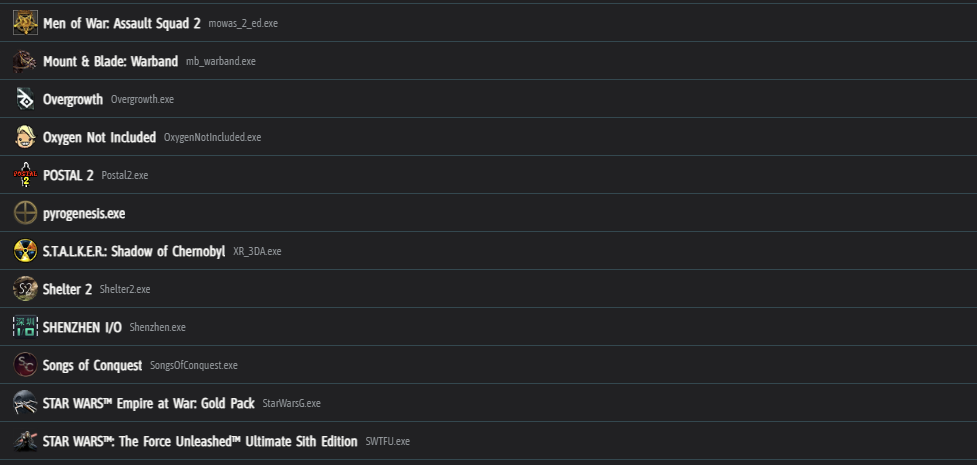
I went through the game scanning and filtering process from the ground up yesterday and found many ways to improve the process, both for the ‘Installed’ scanning and the ‘Running’ process scanning.
If the scan doesn’t find your game (unlikely to happen automatically if it isn’t Epic Games or Steam), use the ‘Paths’ button to add a folder where your game(s) reside. If the scan still doesn’t find your game, it is likely being filtered out, or the .exe is nested in many folders. In this case, use the ‘Paths’ button and add the specific game’s .exe file. Unlike folder paths, the .exe paths completely circumvent the filtering.
As always, please let me know if you have any issues or feedback, it is super important.
Changelog
- Cleaned up and improved the system that finds game .exes
- Display the game’s name in the game list (if found) and its .exe to the right of it
- Remove Custom API from Quick setup from Steam version
- Remove Custom API and DeepL tutorials from Steam verison
- Fix file watcher crash on exit of main app
- Add cache and filter options to the search list
- Fix section names not showing for font setting searches